

Avoiding Schema Admins Group Membership
The schema defines every object and attribute type that can exist in Active Directory, and Schema Admins is the only group with permission to change it. A compromised account with standing schema admin rights gives an attacker a path to alter the forest's structure itself, changes that are irreversible and can break replication forest wide. Here is how attackers abuse a populated Schema Admins group, how to find these accounts, and how to close the gap for good.
Quick Summary
When accounts remain in the Schema Admins group, they retain the ability to permanently modify the Active Directory schema. While schema changes are rarely required, a compromised Schema Admin account can introduce irreversible changes that affect every domain in the forest.
| Priority | Low |
| Risk | Schema Admins group membership provides unnecessary forest-wide privileges |
| Impact | Permanent schema modifications, unauthorized directory changes, increased attack surface |
| Exploitation | Abuse of highly privileged credentials to modify the Active Directory schema |
| Fix | Remove all members and use temporary, approved access only when schema updates are required |
What Is the Schema Admins Group?
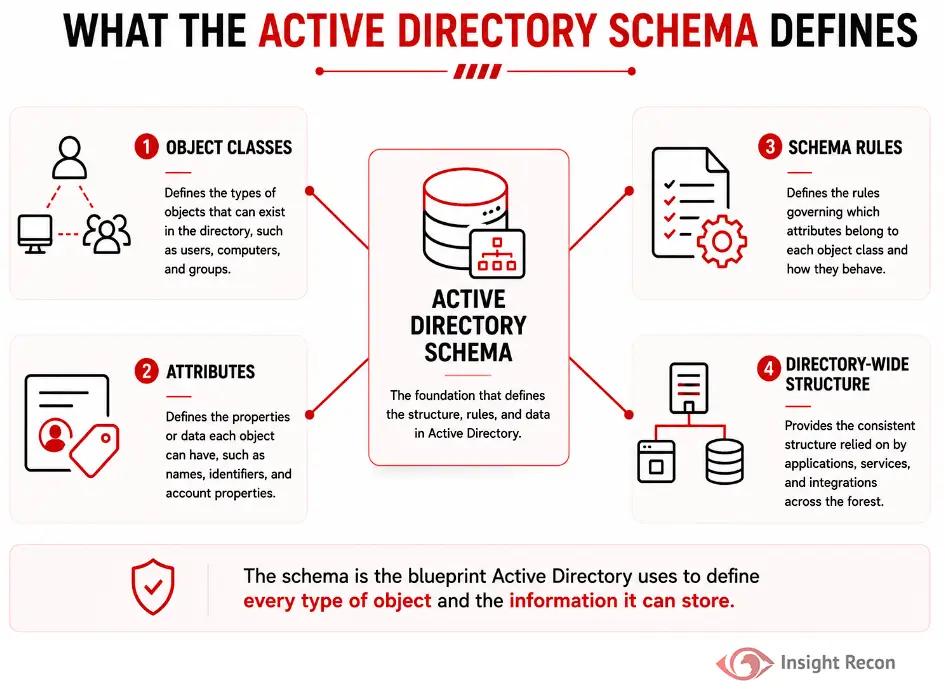
The Schema Admins group is one of the most privileged security groups in Active Directory. Members can modify the Active Directory schema, which defines every object class and attribute that exists within the forest.
Schema changes are forest-wide, permanent, and replicate to every domain controller. They cannot simply be “undone” without restoring Active Directory from backup or performing complex recovery procedures.
Fortunately, schema modifications are extremely uncommon. Outside of activities such as Exchange Server installations, Microsoft product upgrades, or approved third-party directory extensions, most organizations never need a permanent member of the Schema Admins group.
How Schema Administrators Can Pose a Risk
Leaving users in the Schema Admins group creates unnecessary privileged access long after legitimate work has been completed.
Common risks include:
- Permanent directory modifications
Schema changes affect every domain in the forest and cannot be easily reversed. - Expanded attack surface
An attacker who compromises a Schema Admin account gains one of the highest privilege levels in Active Directory. - Application instability
Improper schema extensions can introduce compatibility issues that affect applications relying on Active Directory. - Administrative mistakes
Even well-intentioned administrators can accidentally introduce schema changes that require significant recovery efforts.
Real-World Context
Many organizations find that Schema Admins still contains accounts years after a deployment or upgrade. Usually, an administrator simply forgot to remove the temporary membership once the project was finished. This is a common finding, but it still creates unnecessary risk. A single wrong click from an administrator could render Active Directory unusable, and some of those changes cannot even be recovered from a backup.
How Attackers Exploit Schema Admins Group Membership
Most attackers are not interested in changing the schema immediately. Instead, they seek privileged accounts that provide opportunities for persistence or disruption.
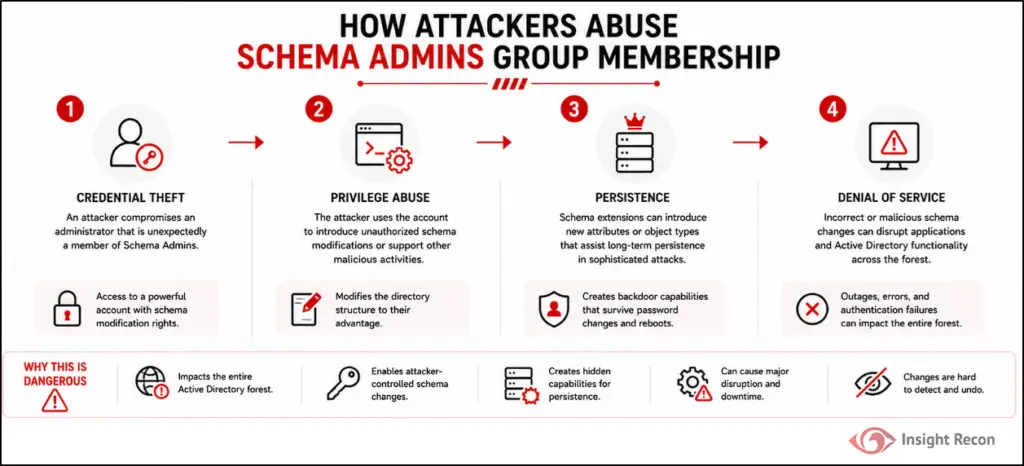
Common attack scenarios include:
- Credential theft
An attacker compromises an administrator that is unexpectedly a member of Schema Admins. - Privilege abuse
The attacker uses the account to introduce unauthorized schema modifications or support other malicious activities. - Persistence
Schema extensions can introduce new attributes or object types that assist long-term persistence in sophisticated attacks. - Denial of service
Incorrect or malicious schema changes can disrupt applications and Active Directory functionality across the forest.
How to Detect Schema Admins Group Members
Checking the Schema Admins group should be part of regular Active Directory privileged group reviews.
PowerShell Method
Run the following command from an elevated PowerShell prompt:
					# List all account and nested groups within the Schema Admins group
Get-ADGroupMember -Identity "Schema Admins" -Recursive | Select-Object Name, SamAccountName, ObjectClass
What it does: Displays every object currently assigned to the Schema Admins group.
How to interpret results: If the command returns members outside of an approved schema maintenance window, those accounts should be reviewed immediately. In most environments, no members should be present at all.

Active Directory Users and Computers (ADUC)
For manual verification:
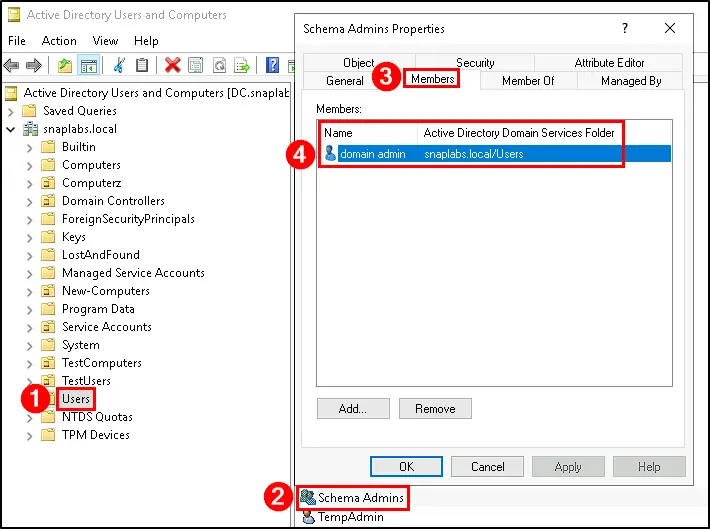
- Open Active Directory Users and Computers (dsa.msc).
- Navigate to the Users container.
- Locate Schema Admins.
- Open Properties.
- Select the Members tab.
- Review all listed accounts.
If any accounts are present, verify that an approved schema extension project is currently in progress.
Finding This Risk with Insight Recon
Insight Recon’s Active Directory security assessment surfaces every account within the Schema Admins group across the entire domain within minutes.
It also provides:
- Visibility into every current member
- Risk prioritization based on privileged group exposure
- Account risk scores for every account
- Step-by-step remediation guidance
- Validation guidance to confirm the group has been emptied
This gives your team immediate visibility into which accounts carry the highest real-world risk.
Remediating Schema Admin Group Membership
Prerequisites
Before removing members:
- Verify no schema extension or Active Directory upgrade is currently in progress.
- Confirm membership is no longer required with the application or project owner.
- Obtain appropriate change approval.
- Ensure Domain Administrator or Enterprise Administrator privileges are available.
PowerShell Method
From an elevated PowerShell prompt, run the follow command. Replace the “MemberName” component to match your environment.
					# Removes a specified user from the Schema Admins group
Import-Module ActiveDirectory
Remove-ADGroupMember `
    -Identity "Schema Admins" `
    -Members "<MemberName>"
Active Directory Users and Computers (ADUC)
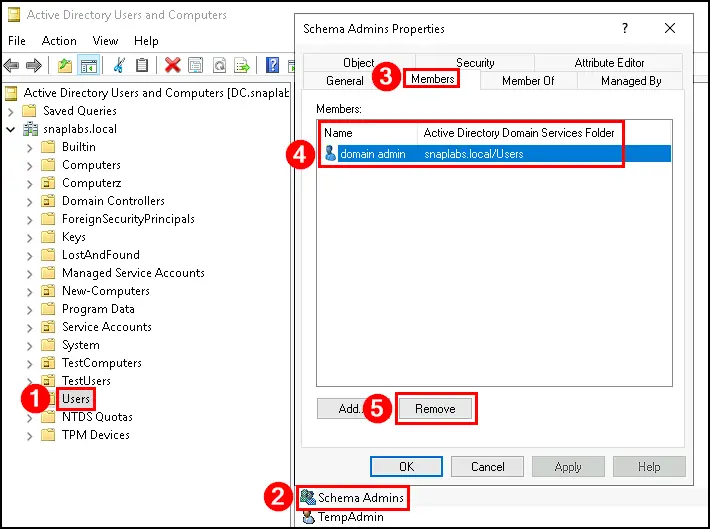
- Open Active Directory Users and Computers.
- Navigate to Schema Admins.
- Open Properties.
- Select the Members tab.
- Remove each unnecessary member.
- Select OK.
- Confirm the group is empty.
Preventing Schema Admin Membership Drift Going Forward
Preventing unnecessary Schema Admin membership requires governance rather than technology alone.
- Use Just-in-Time administration
Grant Schema Admin membership only for approved schema modification projects and remove it immediately afterward. - Review privileged groups regularly
Include Schema Admins in quarterly or monthly privileged access reviews alongside Enterprise Admins and Domain Admins. - Enforce change management
Require documented approval before granting membership and verify removal after work is completed. - Monitor privileged group membership
Configure alerts whenever accounts are added to Schema Admins outside of approved maintenance windows. Event ID 4728, 4729, and 4732 can capture these changes.
Quick Validation Checklist
Can you confidently answer “yes” to all of these?
✓ Do you know your Schema Admins group members?
✓ Are there nested groups within the Schema Admins group?
✓ Do you have a documented provisioning process for Schema Admins membership?
If any of these are unclear, your environment may be exposed to privilege creep.
Risk & Compliance Mapping
Business Impact: Standing membership in the Schema Admins group increases the risk of unauthorized forest-wide directory modifications and violates the principle of least privilege.
| Framework | Reference |
|---|---|
| NIST CSF 2.0 | PR.AA-01 (Identity and Credential Management), PR.AA-05 (Least-Privilege Access Permissions) |
| CIS Controls | Control 5 (Account Management), Control 6 (Access Control Management) |
| MITRE ATT&CK | T1078.002 (Valid Accounts: Domain Accounts) |
| MITRE Mitigations | M1018 (User Account Management), M1026 (Privileged Account Management), M1032 (Multi-factor Authentication) |
| DISA STIG | V-72835, V-243466, V-243467 |
| Microsoft Security Baselines | Remove all standing members from Schema Admins except during approved schema modification operations. |
Frequently Asked Questions
Yes. Microsoft recommends that the group remain empty except during planned schema modification activities.
Schema Admins has a specialized privilege. While Domain Admins control a domain, Schema Admins can permanently modify the Active Directory schema across the entire forest.
Typically only during approved schema extension projects such as Exchange Server deployments, Microsoft product installations, or applications that extend the Active Directory schema.
Not easily. Many schema modifications are permanent, which is why access should be tightly controlled and carefully planned.
Remove Privileges Before They Become a Security Risk
Highly privileged groups should never contain members simply because “they’ve always been there.” Insight Recon helps you quickly identify privileged group exposure, understand the security impact, and verify that high-risk administrative groups follow least privilege best practices.
See exactly where your Active Directory is exposed and what to fix first.