Active Directory Assessments for MSSPs
Active Directory assessments for consultants and MSSPs
Run a single client assessment or look after a client all year on our MSSP plan. Reports go out under your brand and every fix gets tracked until a scan confirms it.
Talk with one of the founders. Bring your client list and we'll work out what you'd pay.
- Clients can get their own portal log-in with role-based access.
- Easy and customizable branding options.
- Simple and clear client licensing with resell packages.
Try it on your own domain first with a free scan. Branding and client logins come with the partner plans.
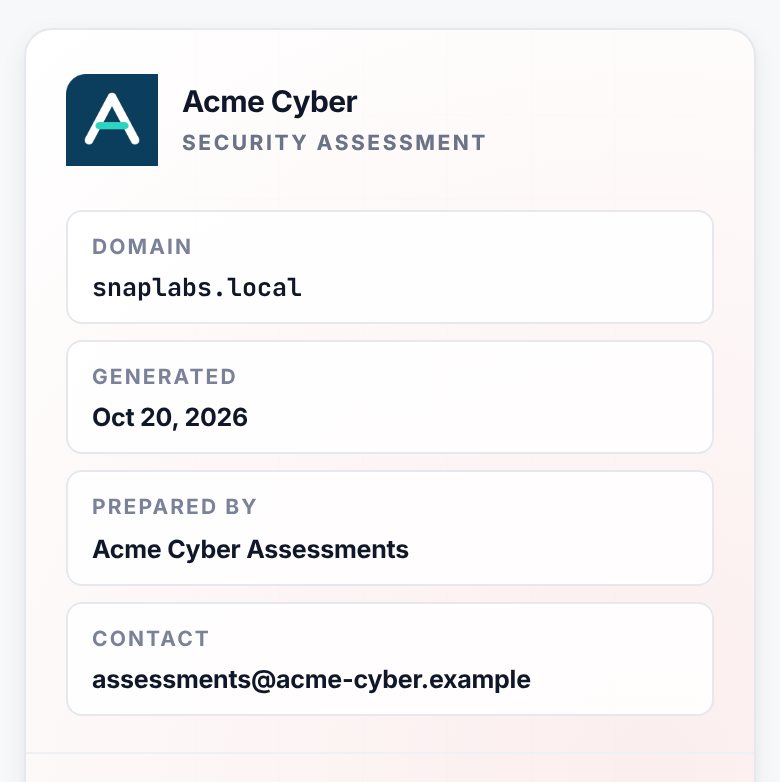
A report for the client and one for your team
Every scan gives you both. The client gets a clear assessment and your engineers get the steps they'll work from.
Customer report
For your client- Every finding with its severity and the affected objects
- Hacker Insight on how each one gets abused
- How much work each fix will take
- The risk posture score and what changed since the last scan
- MITRE ATT&CK and compliance framework mappings
- Where each fix stands, with your team's names left out
Full report
For your team- Everything in the customer report
- What to line up before each change
- PowerShell for one object or a reviewed list, plus GUI steps
- Checks that prove the fix worked plus the evidence to keep
- What to document when a fix has to wait

The fixes are where your service earns its keep. Your team reviews the findings, plans the changes with the client, handles the exceptions and proves each fix worked. If a client would rather do the work themselves, resell them Insight Recon.
Show clients the fixes getting done
Remediation tracking comes with both partner plans. Your team and the client's work from the same list. The client logs into the portal to see where every fix stands.
Give a client's engineers the Remediator role and they can update the findings assigned to them without touching anything else. Partner plans have unlimited users, so nobody has to share a login.
- Owners and due dates. Assign each finding to someone on your team or theirs. Due dates come from the SLA targets you set for each severity.
- Fixes a scan has checked. Mark a finding fixed and the next scan confirms it. If it shows up again later, it reopens and its SLA clock starts over.
- One queue. Everything still open across the domains you manage, with overdue and unassigned findings at the top. Comments and ticket numbers stay with each finding.
- Progress in the report. The Remediation Status section shows what's open, what's overdue and what the latest scan confirmed fixed.
- Alerts. On MSSP, new findings land in your inbox after each scheduled scan. Both plans tell you when a scanner stops checking in.
Make the reports look like yours
Fill in your branding once in the portal and then every report you export will pick it up. The client portal carries your logo too.
Your logo and display name go on the cover and in the header. The logo can be a PNG, JPEG or WebP file up to 2MB. There's also a prepared-by line and a contact email so the client knows who to contact. Footer text covers things like your confidentiality notice. One brand color goes on the headings and accents. Leave the color blank to keep the default.
Services you can build on it
Network vulnerability scanners check hosts for missing patches. They won't tell you a help desk group can reset a Domain Admin's password or that any user can request a certificate that logs them in as Domain Admin, which is ESC1.
An assessment costs you $350 at any size. Year-round clients are priced per account from the partner rate card.
- Paid AD assessments. Charge for the first one and credit the fee toward the remediation work if they sign.
- A check before you quote. Scan a new client's AD before you price the work so you're quoting on what's really there.
- Managed AD security. Own the client's findings, work them down against an SLA and show the progress at every QBR.
- Cyber insurance renewals. Applications ask about domain admin accounts and privileged access. The report shows who has it and what's wrong with it.
Pay per assessment or per client
Use either one, or both from the same partner account. You can start with a single client on either.
Auditor $350 per assessment
One-off work- One client domain of any size
- 60 days of unlimited scans, so the rescan after the fixes is included
- No annual contract. Buy them when you need them
- Up to 2 a year on the same domain
MSSP Partner rate card
Year-round clients- Every domain the client owns
- A per-account rate that drops as your clients add up
- Scheduled scans, full history and new-finding alerts
- SSO and IP allowlisting for your team
- The scan counts the accounts when you add a client and again each year
Both include
- Customer and full reports under your brand
- Client portal logins
- Remediation tracking with scan-verified fixes
- Commercial and MSSP use rights
- Unlimited users with role-based access
- The portable Windows and Linux scanners
- Priority support and a demo account for prospects
- Every check, including on-prem hybrid identity
- Account risk scores with privilege chains
- 25% off Breach Point's remediation hours
- Quoted options: API work, integrations and air-gapped installs. Auditor can also add SSO and IP allowlisting. On a 3-year MSSP agreement, the one-time deployment is waived.
From permission slip to rescan
- Get it in writing
The license requires the client's written OK before you scan. Keep a copy on file.
- Run the scanner
It runs as a standard domain account. You don't need Domain Admin and nothing gets installed on their domain controllers.
- Hand over the report
Export the customer report under your brand for the client. Then hand each finding to an owner on your side or theirs.
- Let the next scan check the work
Run it again once the fixes are in. What's fixed moves to Verified fixed and anything still there goes back on the list.
How assessments and clients count
Auditor Per assessment
One-off work- An assessment covers one client domain for 60 days from its first scan. Scan it as often as you like in that window.
- A 50-account domain and a 50,000-account domain both cost $350 to assess.
- You can assess the same domain twice a year. Past that, it's an MSSP client.
- Move the client to MSSP within its 60 days and we take the $350 off its first MSSP year.
MSSP Per client, all year
Year-round clients- A client is priced on the enabled accounts across all of its domains. The scan counts them when you add the client and again each year.
- Your rate drops as your total across all clients grows. The rate card has the steps and each client's minimum. Clients over 25,000 accounts get a quote.
- Add a client any time and pay for the rest of your year. If one leaves, a new client can take its place for the rest of your year. If the new one's bigger, you pay the difference.
Next to PingCastle
| PingCastle list price | Insight Recon | |
|---|---|---|
| 10 clients with one domain each, assessed once | About $10,000 | $3,500 on Auditor |
| How long each assessment runs | Two weeks | 60 days |
| The same 10, rescanned every quarter | About $40,000 a year | MSSP rate card, with scheduled scans all year |
PingCastle's numbers use the $1,000 per assessment starting rate on pingcastle.com/purchase, checked Nov 4, 2026. Netwrix's docs say each of its licenses runs two weeks for the domains it names.
We'll beat any comparable competitor quote. Comparable means a current written quote for a paid AD assessment product that covers the same clients. See what counts as comparable or send it to us.
Rather resell it?
When a client wants their own Insight Recon account, sell them Standard or Enterprise at our published price and keep the margin.
- 20% margin to start. It goes to 25% once you book $100K a year and 30% at $250K.
- Plus 5% on registered deals you sourced.
- Same price as buying direct. Nobody can undercut you on it.
- Standard free on your own AD for as long as you resell.
Questions MSSPs ask us
Do I need written authorization from every client?
Yes, before you scan their domain. The license requires it.
What does the customer report leave out?
It drops the recommendation on each finding and the remediation guide under it. That's the prerequisites, PowerShell and GUI steps, validation and the evidence to keep. Its Remediation Status section leaves your team's names out.
Everything else stays in. That includes the score, Hacker Insight, the affected objects and the compliance mappings.
Can I give a client the full report instead?
Sure. Both versions come from the same scan. Send whichever fits the engagement.
Should I pick Auditor or MSSP?
Auditor if the work is a one-off, like an assessment before a remediation project. MSSP if you look after the client's AD all year.
You can use both from the same partner account. Assess a prospect on Auditor, then move them to MSSP when they sign on for ongoing work.
What does MSSP cost?
You pay per enabled account for each client, at a rate that goes down as you manage more accounts. We send the rate card when you book a walkthrough or get in touch. Two partners with the same volume and term get the same standard rates.
Can the client's engineers work the fixes in the portal?
Yes. The Remediator role limits them to the findings assigned to them. Add as many as you need, since partner plans have unlimited users.
Will the scan set off the client's alerts?
It won't change anything in their AD. The scan is read-only.
It can still set off alerts. It reads a lot of AD in a short time and some security tools flag that as reconnaissance. Give whoever watches their alerts a heads-up before you run it.
What does the client need for a scan?
A standard domain account and a machine on their network that can reach their domain controllers. Domain Admin isn't needed. The machine doesn't have to be domain-joined, so your own laptop works. Our security page lists every port it uses. Both partner plans include the portable Linux scanner.
Most scans finish in a few minutes. Big domains take about half an hour.
Is there an API or PSA integration?
Not out of the box. Each finding takes the ticket number from your own system. The affected objects and the remediation queue both export to CSV. The report is a single HTML file you can attach to a ticket.
MSSP includes SSO and IP allowlisting, the same as Enterprise. On Auditor they're quoted options. Either plan can add API work or an air-gapped install. We scope each one and build it into your plan.
Where does the client's data go?
Only AD metadata leaves their network. Password hashes and Kerberos tickets never do. Neither does NTDS.dit.
It's stored in Microsoft Azure's East US 2 region, encrypted in transit and at rest. The rest is on our security page. If a client can't send anything out, either partner plan can add an air-gapped install.
What happens to a client's data after the engagement?
You can export or delete it whenever you want. Deleting an assessment's data doesn't give the assessment back. Close your account and it's cleared within 30 days. Backup copies roll off on their normal schedule.
Put your name on the next AD assessment
We'll go through the portal, both report versions and remediation tracking with you.
Or start free on your own domain first.